Play Amagami on Windows
From your own copy of the PS Vita game, in Japanese or in English. Nothing to install: unpack, run, point it at your copy.
Download v0.3.0 for WindowsAll versions
SHA-256 of the zip: 8b0df1456845da0db526468dedd6c0c7c2b2bd915005bfcef30be1243c1ad939
What you need
A PC
- Windows 10 or 11
- A graphics card that supports Direct3D 11 (if not, the program draws with the CPU)
- About 3 GB of free space for the program's own copy of the game's data
A copy of the game
- The PS Vita release of Amagami ebKore+ (PCSG00291), as a folder of decrypted files
- Japanese, or with the English fan translation built in or added later
- The program cannot decrypt anything, and it tells you if the files are still encrypted
Set up
- Download and unpack. Get the zip above, right-click it, choose Extract All... and pick any folder.
- Run amagami.exe. A small launcher opens. If Windows warns about it, press More info, then Run anyway.
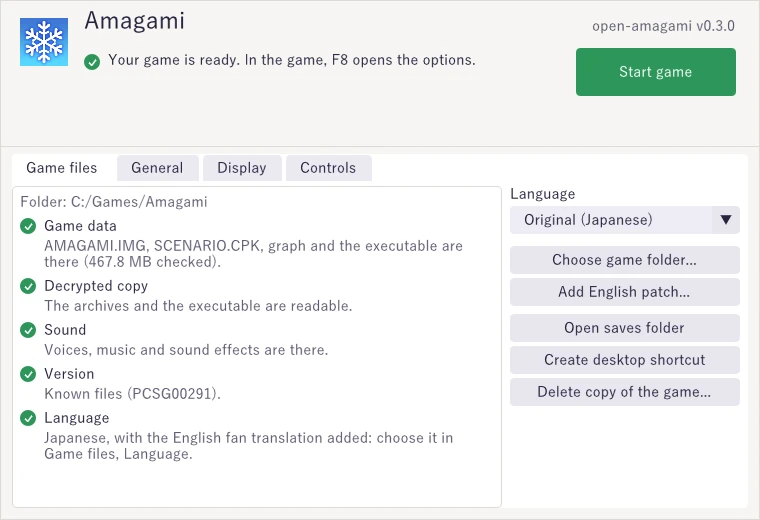
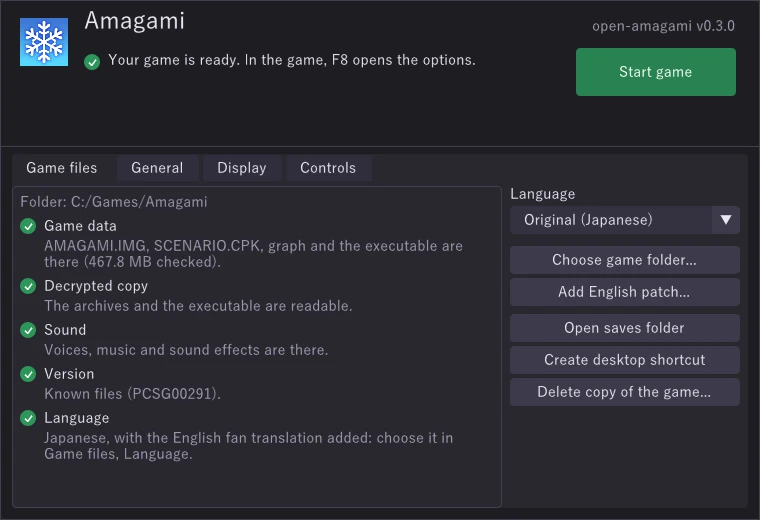
- Choose your game folder. Press Choose game folder..., pick the folder with AMAGAMI.IMG and SCENARIO.CPK inside and let it copy the game. Every check turns green when it is fine; a red one says in plain words what is wrong.
- Press Start game. Once the game is loaded, a shortcut with the game’s icon appears next to amagami.exe; the Game files tab can add one on the desktop. Nothing is put in the Start menu.
Controls
Pad
PlayStation, Xbox and most other controllers work as soon as they are plugged in. The game's button pictures change to those of the one you use.
Keyboard
Every key can be changed in the launcher’s Controls tab; the defaults are below.
Mouse
Hover lights an entry, a click chooses and a right click goes back. The mouse also stands in for the Vita's touch screen.
Window
F11 or Alt+Enter for full screen, Esc to quit. Picture options are in the launcher's Display tab and, in the game, under Port options on the main menu; F8 opens them over the game.
Known limits of this release
Expect rough edges and please report them. What is still missing is listed on the project page.
Questions
Is it legal?
The program is written from scratch and contains nothing from the game. You need your own copy of the game, and the program never downloads or decrypts anything. It is a fan project, not affiliated with the game’s makers or publishers.
Can I play it in English?
Yes. A copy with the English fan translation (v1.1) plays in English as it is. For a Japanese copy, open the launcher’s Game files tab, press “Add English patch...” and pick the translation’s folder. The program includes no translation; you bring your own files.
Why is Windows warning me about the program?
The program is not code-signed yet, so Windows does not know who made it. Every download is built in public from the tagged source, and you can compare the zip with the SHA-256 at the top of this page.
Where are my saves? How do I update?
Saves, settings and the game copy are in the portable-data folder next to amagami.exe (Game files tab, “Open saves folder”), so keep the program in a folder you can write to and move the whole folder to take everything with you. If you used an earlier version, the first start copies your data from the old folders and asks before deleting them. The launcher tells you when there is a new version; its update button replaces the files in place, or unpack the new zip over the old folder. Saves and settings are kept either way.
Can I delete my original copy after importing it?
Yes. The program keeps its own copy inside portable-data, and the Game files tab, “Delete copy of the game...”, removes it again.
What about the PS2 version?
The releases follow the PS Vita game only. The PS2 work stays as notes.
Does it run on Mac or Linux?
Not yet. It is planned for after the Windows version is complete.
I found a bug. Where do I tell you?
As an issue on GitHub, on the Discord, or by email at hello@hokagocafe.com. Say what you were doing and what you saw; a screenshot of the program helps. Never attach files of the game.
More in the README on GitHub, and bug reports go to its issues.